
NetworkAccess · SmartPlanner
Design the whole fiber rollout
SmartPlanner is the network design layer of NetworkAccess: automated FTTx design that takes you from a coverage area to a buildable plan, with routes, splices and bills of material generated in days, not by drawing every span by hand.
Get a demo →The shift
From coverage area to buildable plan
FTTx design has traditionally meant drawing every trunk, every distribution span and every drop by hand, then reconciling the result against splice counts and cable lengths before a single crew is dispatched. SmartPlanner inverts that. You give it the service area, and the engine routes the network, so your team refines a generated plan instead of building it span by span.
SmartPlanner is the network design module inside NetworkAccess, so the plan you build sits in the same operational map your inventory, serviceability and rollout teams already work from.
What the engine does
Let the engine route, then refine
Automated FTTx design
Generate trunk, distribution and drop routes across a service area automatically.
Optimised pathing
Route along streets and ducts to minimise fiber length and civil works.
Bill of materials
Get splice counts, cable lengths and equipment lists straight from the design.
Rollout phasing
Sequence the build into phases that match demand and crew availability.
From desktop plan to handover, tracked block by block
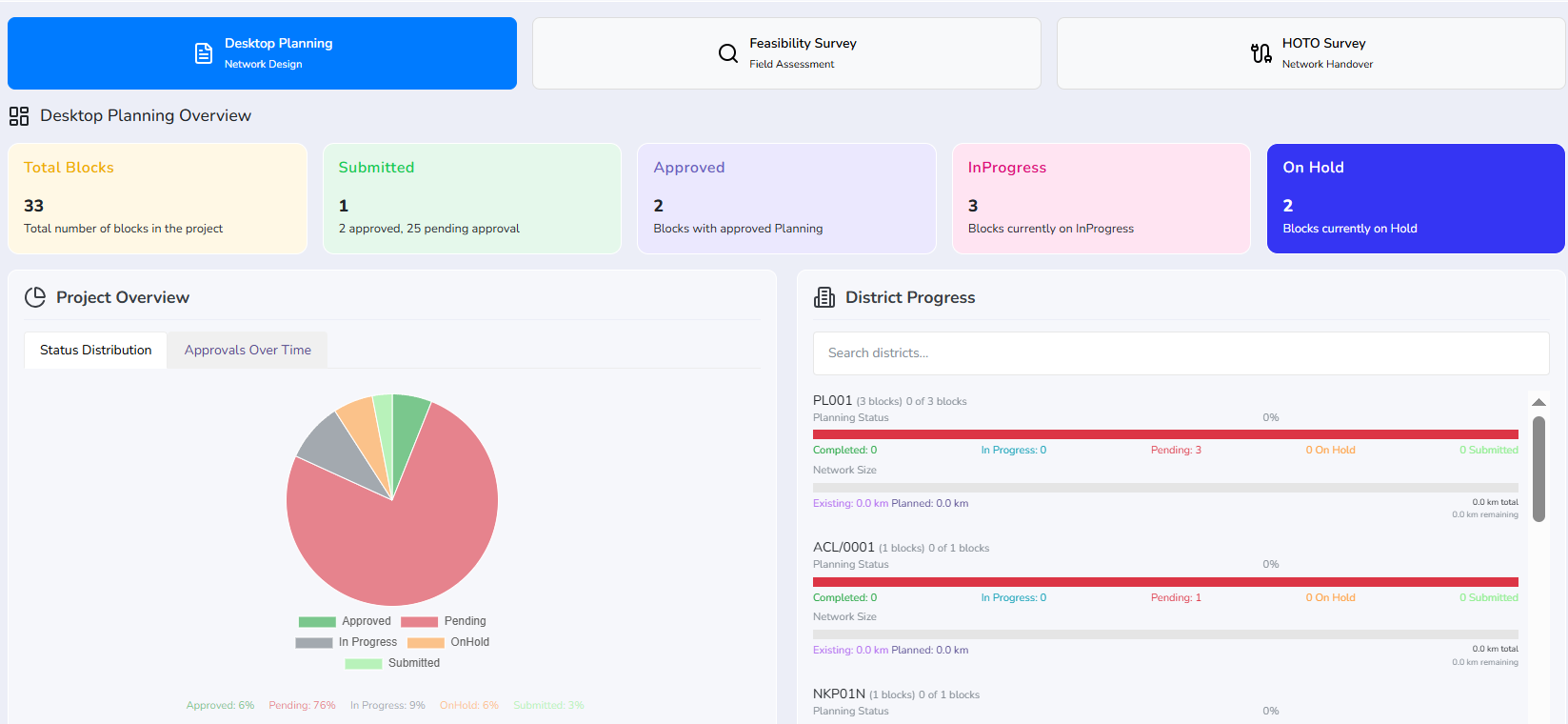
Planning is not one screen but a sequence, and SmartPlanner keeps the whole sequence in view: desktop planning for the network design, the feasibility survey that tests it on the ground, and the HOTO survey that hands the built network over.
The overview counts every block in the project by the state it is actually in, submitted, approved, in progress or on hold, and breaks the same picture down by district with the network length already existing set against the length still planned. Planners refine a generated plan against those numbers instead of drawing the rollout span by span.
The whole rollout, drawn from the central office out.
Trunks, distribution and drops route out across the territory from one origin, following the streets and ducts you can actually build along, so the plan you review is the plan a crew can put in the ground.
Inside NetworkAccess
A plan your operations team can use
Because SmartPlanner is a module of NetworkAccess, the design does not stop at a drawing. The routes, splice counts and equipment lists feed straight into the same operational map your inventory, serviceability and field teams read from, so the plan you build is the network you go on to operate.
See SmartPlanner on your footprint.
Watch an FTTx plan generate over a real coverage area with our team.
Get a demo →